
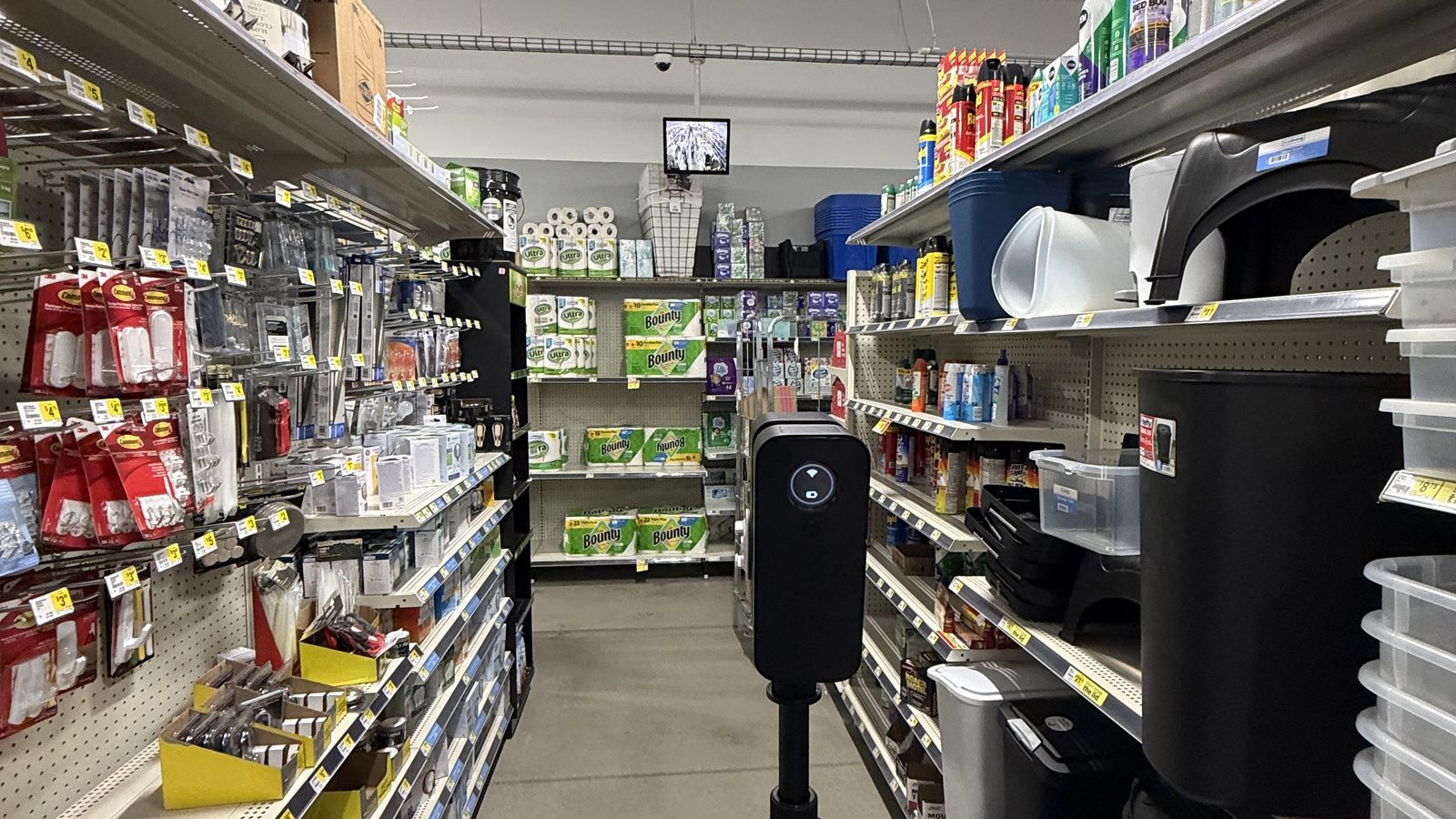
Scanning one building is a project. Scanning forty stores is a program, and it needs a different kind of planning. Retail chains, franchise groups, bank and restaurant brands, and the design and construction firms that support them all run into the same problem: they need current, measurable records of a lot of locations, and they need every one of those records to look the same.
Estate360 runs store capture visits across the Grand Strand and the wider Carolinas. This post covers how a multi location scanning program works in practice, what each visit should capture, and what to sort out before the first store gets scanned.
Why store teams scan on a schedule
Most chains do not have accurate drawings of their own stores. They have the original prototype set, a few remodel packages, and whatever the last contractor marked up. Over ten or fifteen years, fixtures move, walls get added, coolers get swapped, and the real store drifts away from the paper one.
That gap gets expensive when the brand wants to do something across the whole portfolio:
- •Remodels and resets. Designers need real dimensions of the sales floor, back room, and restrooms before they lay out new fixtures.
- •Equipment rollouts. New coolers, freezers, checkout lanes, or self service kiosks need to fit, and the electrical has to be where the plan says it is.
- •Facilities and maintenance. A regional manager in another state can walk the store in a browser instead of sending someone to look.
- •Lease, insurance, and condition records. A dated capture shows what the space looked like on a given day.
A scheduled program turns this into a routine instead of a scramble every time a new initiative comes down from corporate.
What a good store visit captures
The deliverable matters more than the camera, so define it first. A typical store visit includes some mix of these:
- •A walkable 3D tour of the sales floor, back room, offices, and restrooms. This is usually a Matterport model, which anyone on the team can open in a browser.
- •Measured floor plans generated from the scan, with wall dimensions and room areas. Our post on dimensional floor plans from reality capture covers what those plans can and cannot show.
- •Still photos of specific items the brand cares about: the electrical panel, cooler compressors, roof access, signage, exits, and any damage.
- •Exterior coverage, such as the storefront, parking, and dumpster area, sometimes with drone photos for the site.
- •Point clouds when the work needs real precision, such as a structural change or a full Scan to BIM model for a prototype update.
Not every store needs all of it. A program usually has one standard package for most locations, and an upgraded package for stores that are about to be remodeled.
If you are deciding between a tour and a true laser scan for a given package, see Matterport tours versus laser scan as builts.
How the visits actually run
Store capture is different from scanning an empty building, because the store is usually open.
Timing. The cleanest scans happen early, before opening or in the first hour of business, when the aisles are quiet. Large stores can take a few hours, smaller formats much less. The capture team works around customers and staff, not the other way around.
Store contact. Someone at the store should know the visit is coming. The manager needs to unlock the back room, the office, and any electrical or mechanical rooms. A missed key is the most common reason a visit comes back incomplete.
Consistent order. Every store gets scanned in the same sequence: front entry, sales floor aisle by aisle, back room, offices, restrooms, exterior. That consistency is what makes forty models comparable later.
Checks on site. Before leaving, the operator confirms the model aligned, every required room is covered, and the required photos exist. Driving back to a store an hour inland because a restroom got skipped wipes out the margin on that visit.
On the Grand Strand, routing matters too. Stores spread across Myrtle Beach and Surfside, and inland toward Conway. A sensible route groups stores by area so a crew can finish several in a day instead of zigzagging across Highway 501 traffic.
Naming, folders, and handoff
The scan is half the job. The other half is making sure hundreds of files land in the right place and stay usable.
Agree on these before the first visit:
- •Store identifiers. Use the brand's store number as the primary key in every model name and folder.
- •Folder structure. Keep it shallow. Deep nested folders and very long file names cause real problems when files get zipped, uploaded, or extracted on another system.
- •File naming. If the client or a program manager renames files on their end, leave the originals alone and let them do it. Two systems renaming the same files is how photos go missing.
- •Delivery window. Set a clear turnaround, such as a set number of hours after the visit, and track it per store.
- •One place for status. A simple tracker showing scheduled, captured, uploaded, and delivered for each store keeps everyone honest.
Ongoing programs versus one time sweeps
Some brands want every store scanned once, to build a baseline. Others want stores rescanned on a cycle, or captured before and after each remodel.
A baseline sweep gives you a portfolio of current records. A recurring program goes further: it shows how each store changed, confirms that a rollout was installed the way it was designed, and gives facilities a fresh record whenever they need one. For construction work inside the stores, the same approach applies as with site progress monitoring, just at the scale of many small sites instead of one large one.
The right choice depends on how often your stores change. If remodels and equipment swaps are constant, recurring capture usually costs less than sending people to measure each store from scratch every time.
What to sort out before you start
If you are planning a store capture program in Horry or Georgetown County, these questions will shape the quote and the schedule:
- How many locations, and where are they?
- What does each store need: tour only, tour plus floor plans, or a full laser scan?
- Which rooms and items are required in every store?
- Can visits happen before opening, and who is the store contact?
- Where do the files go, and how should they be named?
- What turnaround do you need per store?
- Is this a one time sweep or a recurring cycle?
Having these answered up front makes the first visit look like the fortieth.
Talk to Estate360
Estate360 captures retail, restaurant, and commercial locations across Myrtle Beach and the Grand Strand, from single stores to multi location programs. If you are planning a portfolio scan or a rollout that needs current store records, email sales@estate360.us, call 843-306-8063, or reach us through the contact page and we will help you scope a store package that fits.